Kapothi Tech Blog

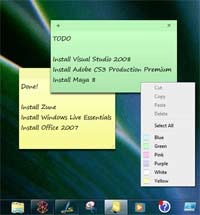
Windows 7 sticky notes – Changing default font size

by Kapuwa on Jan.30, 2010, under Windows 7


stickeynotes

  There are workarounds.

If you cut-and-paste text from another program, let’s say Word, to a Sticky Note, that note will take on the original fonts the text was in.

To change size, luckily there are keyboard shortcuts…

Ctrl + Shift + > makes the font bigger

Ctrl + Shift + < makes the font smaller


Leave a Reply

Looking for something?

Use the form below to search the site:

Still not finding what you're looking for? Drop a comment on a post or contact us so we can take care of it!