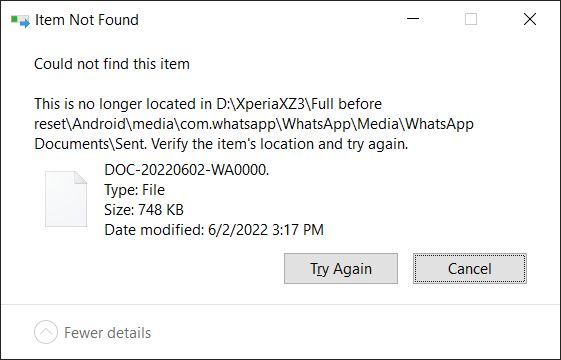
Fixing Windows Item Not Found Ghost Files
Sometimes Windows Explorer shows Item Not Found when you try to delete or move a file.
One common cause is a filename ending with a trailing dot (.). NTFS stores it, but Explorer refuses to handle it properly.
Here’s the Kapothi workflow to fix it.
# Symptom
Windows Explorer shows “Item Not Found”
File cannot be deleted or moved
Windows Explorer shows “Item Not Found”
File cannot be deleted or moved
# Cause
Filename ends with trailing dot (e.g. DOC-20220602-WA0000.)
NTFS stores it, Explorer trims it → ghost entry
Filename ends with trailing dot (e.g. DOC-20220602-WA0000.)
NTFS stores it, Explorer trims it → ghost entry
# Fix (Delete)
del "\\?\D:\XperiaXZ3\Full before reset\Android\media\com.whatsapp\WhatsApp\Media\WhatsApp Documents\Sent\DOC-20220602-WA0000."
# Fix (Rename)
ren "\\?\D:\...\DOC-20220602-WA0000." DOC-20220602-WA0000
💡 Kapothi Lesson: Avoid trailing dots or spaces in filenames. They create ghost files that Explorer cannot handle.